

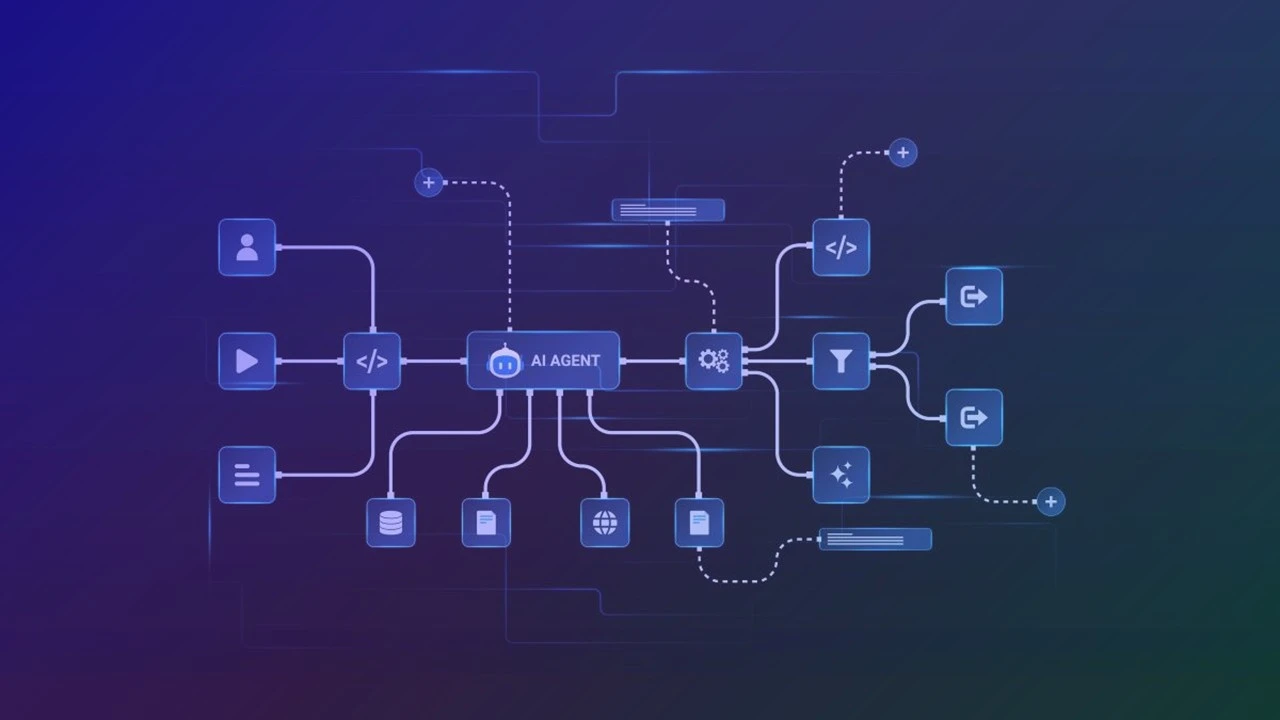
The MCP (Model Context Protocol) has quickly become a standard way to connect AI agents to existing tools and systems. In just a few months, a dense ecosystem has formed around it: dozens of connectors for databases, ticketing tools, cloud platforms, and file systems.
Centreon is now part of it. The Centreon MCP Server for Infra Monitoring is available today, open source, on GitHub.
What This MCP Server Does
The Centreon MCP Server for Infra Monitoring is built on the platform’s real-time REST V2 APIs and exposes two families of operations.
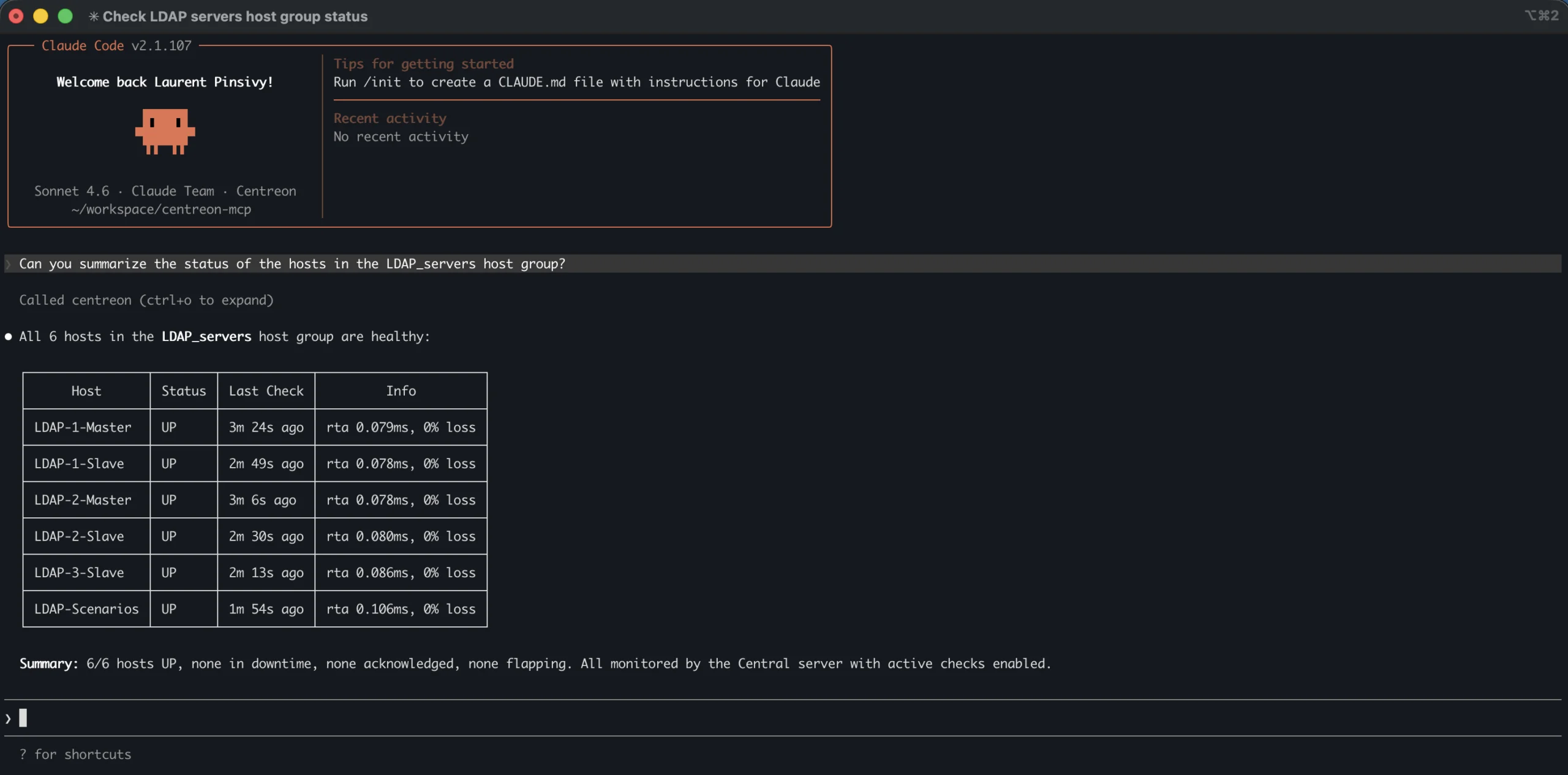
- Query. An AI agent can ask Centreon for the status of any monitored resource — hosts or services — with advanced filtering: by name, host group, service group, collector, acknowledgment status, or scheduled downtime. In plain terms: the agent can know what’s working, what isn’t, and in what context.
- Act. The agent can also take targeted actions on resources: acknowledge an alert, remove an acknowledgment, schedule a downtime, cancel it. Focused actions, but right at the heart of daily IT operations team workflows.
Good news: the MCP works with all versions of Centreon Infra Monitoring — open source and commercial, self-hosted or SaaS.
What the Centreon MCP Server for Infra Monitoring Makes Possible
It’s hard to draw up an exhaustive list. The value of MCPs is precisely that they’re building blocks: it’s the combination with other tools, other agents, other data sources that create value.
Here are three concrete situations to spark ideas.
- The on-call engineer at 3 a.m. An alert comes in. Rather than opening the console, they ask their AI assistant: “What’s in a critical state of the production environment right now?” The agent queries Centreon, consolidates the information, and proposes an initial diagnosis. If the situation calls for it, the agent can even acknowledge the alert or schedule a downtime on request, directly from the conversational interface.
- The auto-remediation workflow. An orchestration tool like N8N or Make coordinates multiple MCPs: Centreon detects a critical alert, Ansible triggers a remediation playbook, Centreon is queried again to confirm the return to normal. If remediation fails, a ticket is created in ServiceNow and the on-call team is notified. No human intervention required in the normal path.
- Scheduled maintenance in plain language. “Schedule a downtime for all switches in the Lyon group for Saturday night from 10 p.m. to 2 a.m., reason: firmware update.” The agent first queries Centreon to list the resources involved, displays the list for confirmation, then applies the downtimes. What used to take several minutes of navigating an interface now takes a matter of seconds.
Who Is It For, and When Does It Make Sense?
The MCP Server doesn’t replace the Centreon console. It doesn’t replace dashboards, SLA reports, or map views. It adds a programmatic accessibility layer to the platform — which only makes sense if you’re already exploring agentic use cases in your IT operations.
If you’re experimenting with automated workflows using N8N, Make, or similar tools, using AI assistants like Claude or MCP-compatible interfaces, or looking to connect your monitoring platform to your ITSM and automation ecosystem in a smarter way — this MCP is for you.
The entry bar is intentionally low: the code is open, the documentation is on GitHub, and Centreon’s REST V2 API is a well-documented foundation.
How to Get Started?
The Centreon MCP Server for Infra Monitoring is available on GitHub under an open source license. You’ll find the source code, installation documentation, and configuration examples for the main MCP clients.
Installation takes just a few minutes. The MCP Server is compatible with Centreon Infra Monitoring versions 24.04 and above, in both SaaS and self-hosted deployments.
Check out this The Watch article to get started smoothly — it includes the GitHub link and walks you through the process step by step.
Over to You — Your Ideas Are Welcome!
We have our own ideas about the most promising use cases. But what interests us more is what you’ll do with it: the combinations we haven’t thought of, the workflows that fit your context, your constraints, your stack.
If you try it, share your feedback in the comments on The Watch. Tell us what you think: share your vision of IT operations in the age of AI agents!
Share