

Finally, experience monitoring for your internal apps
Private synthetic monitoring zones (STM Zones) are now available in Centreon Experience Monitoring. They let you run your user journeys on internal applications from inside your own network.
CRM, ERP, intranet, back office, HR or line-of-business portals: these applications keep your business running every day, yet they’ve always been out of reach for public probes. With a private synthetic monitoring zone, a probe deployed in your infrastructure tests them around the clock, the way an employee would use them, and alerts you as soon as a journey starts to slow down or fail.
Internal applications: the blind spot in your monitoring
Every dashboard is green, but employees are still complaining. Customer search in the CRM has stopped responding. Orders won’t go through in the ERP. You hear about it from a support ticket, sometimes hours later. That’s the green dashboard paradox: your infrastructure doesn’t tell the whole story.
On your public websites, synthetic monitoring takes care of this: probes replay critical journeys around the clock and alert you before users notice. But internal applications aren’t reachable from the internet, so hosted probes can’t get to them. You’re left with no visibility into their availability or performance, users reporting outages before IT spots them, and incidents that take longer to resolve.
How private zones work
A private synthetic monitoring zone is made up of one or more probes installed on machines in your infrastructure. Each probe runs as a standalone Docker container. It pulls the journeys it needs to run from Centreon Experience Monitoring, replays them in a real browser against your internal applications, and sends the results back. You don’t need to open any inbound ports, and your application is never exposed to the internet.
Two types of probes are available:
- STM probe: collects the standard Experience Monitoring performance and availability metrics (TTFB, Speed Index, Hero Time, Core Web Vitals, uptime).
- Recommendations probe: runs audits and provides tailored recommendations to optimize your applications (performance, accessibility, eco-design).
From there, you analyze internal journeys exactly as you would public ones: alerts, screenshots, HAR files, step-by-step analysis, reports and dashboards.
What data leaves your network?
Scenarios run locally. Only their results are sent to the SaaS platform:
- load time metrics, in milliseconds;
- screenshots of the tested pages, captured with the scenario’s test user account.
So you control what’s visible. Just use a test account whose screens don’t show any sensitive data.
Monitor from multiple locations
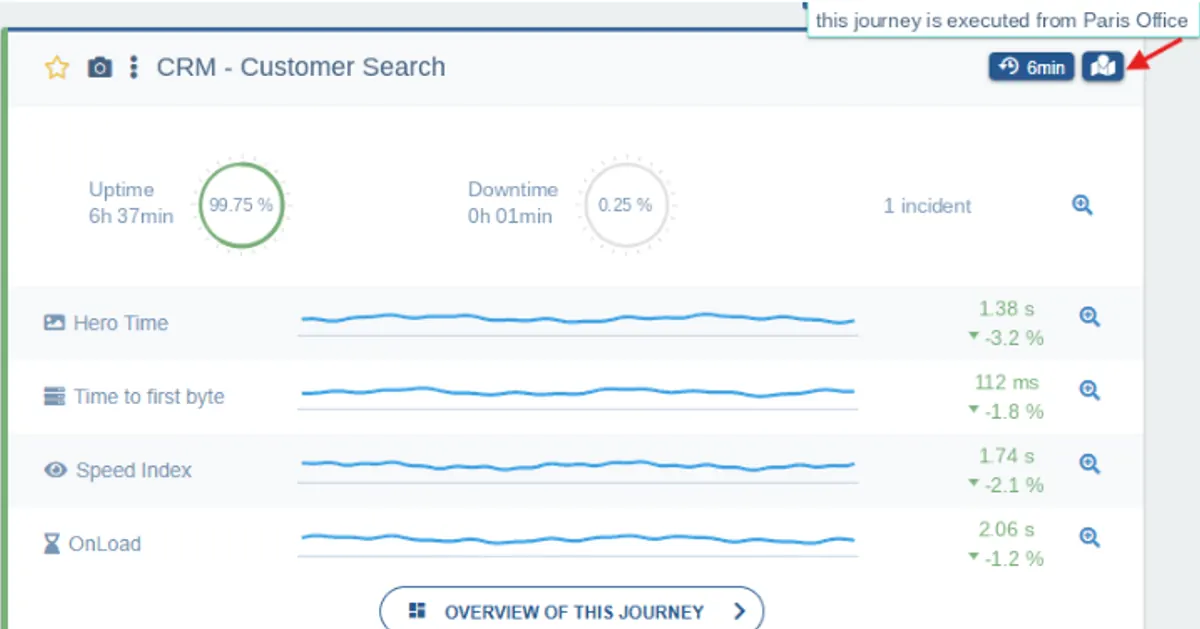
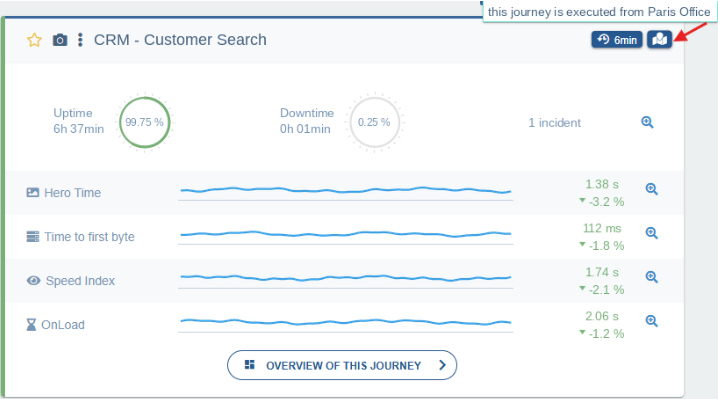
You can create several synthetic monitoring zones, for example one per data center, office or country, and run the same journey from several of them. Give each zone a meaningful name (“Paris Office”, “Lyon Data Center”) so you can tell them apart at a glance. Zones are managed at the organization level and shared across all your sites, and you can see the status of each probe in real time.
Get started in four steps
Prerequisites: a machine inside your infrastructure that can reach the application you want to monitor, and a user journey configured for that application.
- Create a new synthetic monitoring zone.
- Get a probe token and associate a probe with the zone.
- Run the Docker commands provided in the interface on your machine.
- Assign the zone to your user journey in the journey’s execution zone setting.
The full procedure is described in the synthetic monitoring zones documentation.
What’s in it for you
- Catch incidents before your employees do: your critical internal journeys are tested continuously, as often as every minute, and you’re alerted the moment an outage or slowdown appears, by email, SMS, Slack or webhook to your own tools (PagerDuty, ITSM).
- Troubleshoot without reproducing the issue: every incident comes with a screenshot of the failed page and a full trace of the network requests (HAR).
- Measure performance where your teams actually work: one synthetic monitoring zone per site or office shows whether a slowdown affects everyone or just one location.
- One tool for everything you monitor: public websites and internal applications are monitored with the same no-code scenarios, the same interface and the same alerts.
- A predictable budget: pricing is based on the number of steps in your scenarios, never on the number of runs. Adding a zone or increasing the frequency doesn’t change the price, and private zones are included in every edition.
Applications you can monitor
| Application | Typical journey to replay |
|---|---|
| CRM | Log in, search for a customer record, open an account |
| ERP | Enter an order, check stock levels |
| Intranet | Log in, open a document, run a search |
| HR portal | Request time off, view a payslip |
| E-commerce back office | Process an order, update a product |
| B2B portal | Partner login, place an order |
From infrastructure to experience: end-to-end monitoring
Already monitoring your internal infrastructure with Centreon Infra Monitoring? Private synthetic monitoring zones are the natural next step: beyond servers, networks and databases, you can finally measure what users actually experience in the applications running on them.
- Data right in your IT monitoring: STM metrics and journey incidents flow natively into Centreon Infra Monitoring. They show up in the Resources Status view, trigger alerts and notifications, and feed your dashboards.
- A shared impact view: with the BAM extension, a business activity’s impact tree brings together infrastructure health and the experience users actually get. When the CRM journey slows down, you can see in the same view whether the database is to blame.
- Real user experience on top: for internal applications where you control the code, the Real User Monitoring tag also measures what each employee experiences, without collecting any personal data. All it takes is outbound HTTPS access to the internet from their workstations, which most corporate networks already allow.
Using a different monitoring solution? Experience Monitoring integrates via its REST API, webhooks, and ITSM and observability connectors (ServiceNow, Jira, Datadog, Grafana).
Available now
Private synthetic monitoring zones are available in Centreon Experience Monitoring, in both Pro Edition and Business Edition: if you’re using synthetic monitoring, private zones are already included. The full setup procedure is described in the documentation.
Tried them out? Share your feedback on The Watch, the Centreon community.
New to Centreon Experience Monitoring? Request a demo and see how you can monitor the experience of all your applications, public and internal alike.
FAQ
What is a private synthetic monitoring zone?
A set of probes deployed in your own infrastructure that run your Centreon Experience Monitoring user journeys on applications that are only reachable from your internal network.
Can you run synthetic monitoring on an internal application?
Yes. With a private synthetic monitoring zone, probes replay your journeys on your intranet, ERP, CRM or business portals from inside your network, without exposing those applications to the internet.
How do you deploy a private probe?
Create a zone in Centreon Experience Monitoring, get a probe token, then run the Docker commands provided on a machine that can reach the application.
Can you monitor the same journey from several locations?
Yes. Create one zone per data center, office or country, and run the journey from each of them.
Does data from private zones show up in Centreon Infra Monitoring?
Yes. Just like public journeys, STM metrics and incidents appear in Centreon Infra Monitoring, in your dashboards and in your BAM impact trees.
Do you need to open inbound connections to use a private zone?
No. Probes work in pull mode: they fetch the journeys to run from Centreon, and only load times and screenshots of the tested pages are sent to the platform.
Does Real User Monitoring work on internal applications?
Yes, as long as you can add the RUM tag to the application and users’ workstations have outbound HTTPS access to the internet.